GPU and AI Hardware: A Complete Guide for 2026
Artificial intelligence has changed the way people choose computer hardware. Graphics cards originally associated with gaming now run language models and generate images. They produce videos and support complex scientific research. Meanwhile, cloud providers operate enormous clusters built around processors created specifically for AI.
Picking suitable hardware starts with computational performance and available memory. Software compatibility determines which applications can use the processor. Processor specifications matter, yet the model you intend to run often determines the most practical purchase.
What Is a GPU?
CPU vs. GPU: How They Process Work
CPU means central processing unit. It manages operating systems and application logic. CPU cores handle background tasks and workloads requiring quick decisions. GPU means graphics processing unit. Its architecture uses a much larger collection of computational units to process many calculations in parallel.
Imagine calculating the values in a giant matrix. The CPU can execute instructions and coordinate tasks. The GPU can calculate many matrix elements concurrently. Neural networks depend heavily on matrix multiplication and other parallel mathematical operations, which gives GPUs a natural advantage in many AI workloads.
CPUs remain important for dataset loading and input preparation. They manage system memory and coordinate GPU activity. Fast storage and sufficient system RAM can improve an AI computer's overall responsiveness.
Why Are GPUs Used for Artificial Intelligence?
Training a neural network requires repeated mathematical operations across model weights and training examples. Inference uses previously trained weights to predict the next text token or produce image and video content. GPUs accelerate both activities through massive parallel computation and high-speed access to video memory.
Memory bandwidth deserves particular attention. During language generation, a GPU repeatedly reads large quantities of model data. Fast mathematical hardware helps, yet the rate at which data travels from memory to the processor can determine how quickly tokens appear.
CUDA Cores, Tensor Cores, and RT Cores
CUDA cores perform general GPU arithmetic for graphics and computational workloads. CUDA core counts offer useful architectural context. Meaningful performance comparisons examine architecture and clock speed. Memory bandwidth and software efficiency complete the picture.
Tensor Cores accelerate matrix operations commonly used in neural networks. Different NVIDIA generations support formats such as FP16 and BF16. Newer architectures extend that support to FP8 and selected four-bit formats. Supported formats vary by architecture and directly affect AI throughput and memory requirements.
RT Cores accelerate ray-tracing calculations for realistic graphics and three-dimensional scenes. Ray tracing concerns graphics rendering primarily. Tensor Cores and other GPU compute resources handle the bulk of conventional LLM inference and model training.
NVIDIA GPUs: From GeForce RTX to AI Data Centers
NVIDIA offers hardware for gaming PCs and professional workstations. Its data center products provide large-scale AI infrastructure. Product families address different priorities, so a GPU carrying a larger memory specification may excel at model capacity even when another card delivers faster processing on a smaller workload.
GeForce RTX: Consumer GPUs for Local AI
GeForce RTX graphics cards offer CUDA support and access to a mature collection of AI software. Applications such as PyTorch and llama.cpp benefit from NVIDIA acceleration. LM Studio and ComfyUI extend local inference and generative media possibilities.
Memory capacity shapes the practical difference between consumer cards. Modern gaming cards with 8GB or 12GB support smaller quantized models. Options with 16GB or 24GB provide greater flexibility. Cards with 32GB give larger LLMs and demanding creative workloads extra memory.
NVIDIA RTX 3090: The 24GB Budget Option
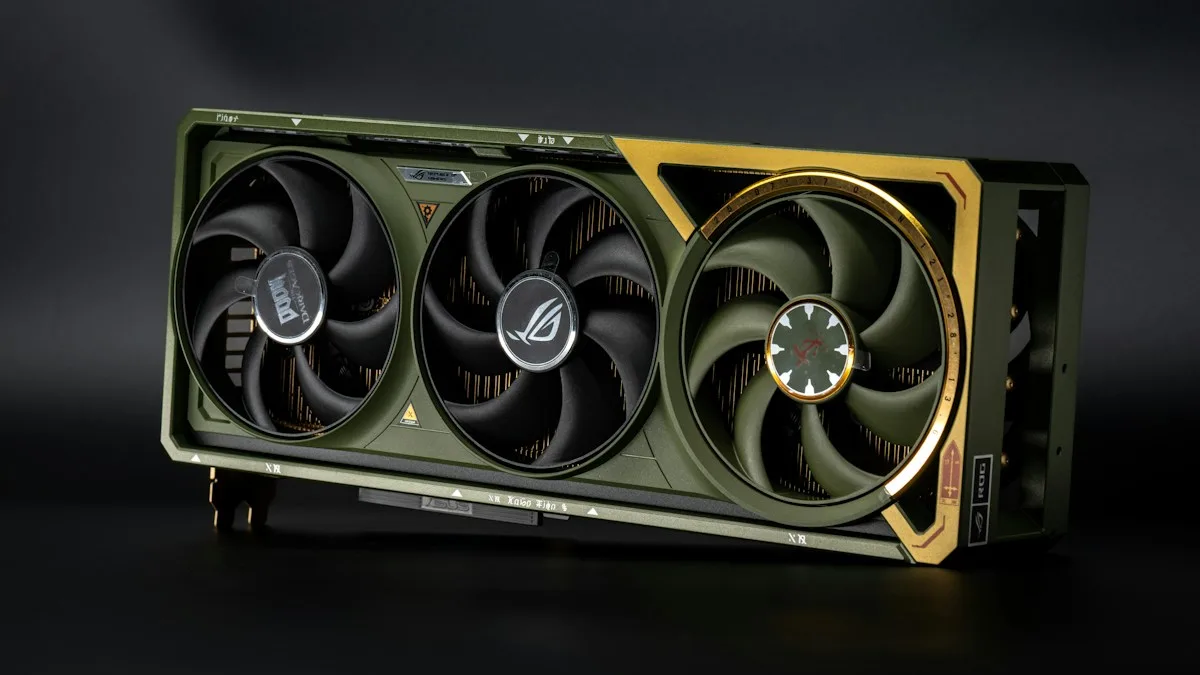
The RTX 3090 remains interesting for local AI in 2026. It's 24GB of GDDR6X memory enables experiments with quantized language models and image-generation workflows that exceed the capacities of smaller cards. Secondhand pricing can make it appealing for research and home laboratories.
Power consumption and hardware condition deserve attention. The card carries a 350W reference power rating, and older used units may have operated under heavy workloads for years. Cooling performance and memory temperatures warrant inspection before purchase.
NVIDIA RTX 4090: Powerful Performance with 24GB
The RTX 4090 pairs 24GB GDDR6X memory with strong Ada Lovelace compute performance. Its processing capability suits local inference and image generation. Many fine-tuning projects benefit too. Users working with a model that fits comfortably inside 24GB can still achieve excellent results.
Model capacity remains the primary limitation. Large language models at higher numerical formats and ambitious video pipelines can require additional memory or CPU offloading.
NVIDIA RTX 5090: Blackwell Performance with 32GB
The GeForce RTX 5090 uses NVIDIA's Blackwell architecture and includes 32GB GDDR7 memory. NVIDIA lists 1,792 GB/s of memory bandwidth and 575W of total graphics power. Its combination of compute speed and bandwidth makes it a leading consumer option for local LLM inference and generative media workloads.
Video creation and AI image production benefit from the extra capacity of 32 GB gaming cards compared with 16GB cards. Certain pipelines still require optimized memory profiles or model offloading. NVIDIA specifies a minimum system power requirement of 1,000W for a reference configuration; complete system requirements vary depending on other components.
The Next NVIDIA Generations: Blackwell Ultra and Rubin
NVIDIA's data center roadmap has progressed beyond the original Blackwell processors. Blackwell Ultra includes products such as the B300 and GB300. The Vera Rubin platform introduces Rubin GPUs with 288GB of HBM4 memory per processor, according to NVIDIA's published architecture specifications.
Vera Rubin entered a production ramp in 2026. Customer availability and product configuration depend on specific systems and deployment schedules. Future GeForce generations deserve separate evaluation once NVIDIA publishes their specifications and independent tests become available.
NVIDIA A100: An Established AI Training Platform
The A100 introduced the Ampere architecture into many major AI training systems. Versions with 40GB and 80GB HBM2e memory support high-memory workloads and distributed training. The 80GB SXM variant provides approximately 2 TB/s of memory bandwidth.
Research teams continue to use A100 systems for fine-tuning and model training. Larger inference tasks are another common application. Multi-Instance GPU technology permits supported A100 systems to partition resources among several isolated workloads.
NVIDIA H100 and H200: The Hopper Generation
The H100 uses the Hopper architecture and typically features 80GB of HBM3 memory in major data center configurations. Its Transformer Engine accelerates neural network operations using supported numerical formats. H100 SXM systems offer approximately 3.35 TB/s of memory bandwidth.
The H200 extends Hopper with 141GB of HBM3e memory and approximately 4.8 TB/s of bandwidth. Greater capacity benefits larger models and long-context inference. Enterprise deployments often use HGX systems designed for coordinated communication between multiple GPUs.
NVIDIA B100, B200, and GB200: Blackwell at Scale
The B100 appeared in NVIDIA's early Blackwell product announcements. The B200 became a principal Blackwell processor in deployed HGX systems. B200 SXM configurations feature 180GB of HBM3e memory with up to 8TB/s bandwidth.
GB200 refers to a Grace Blackwell Superchip that pairs an NVIDIA Grace CPU with two Blackwell GPUs. Buying a PCIe GPU and deploying a GB200 server requires very different plans. The GB200 NVL72 platform connects 72 Blackwell GPUs and 36 Grace CPUs for enormous AI workloads.
Blackwell Ultra builds on the family through B300 and GB300 systems. Rubin follows as a further generation for AI-scale infrastructure.
NVIDIA L40S: Inference and Graphics in the Data Center
The L40S features 48GB of GDDR6 ECC memory and delivers strong graphics performance and AI inference performance. Its 350W rating and PCIe form factor suit selected server installations. Video processing services and generative image applications are natural use cases. Hosted inference makes good use of the same hardware.
L40S communication across multiple cards uses PCIe, an important consideration for model parallelism. Its role differs from the H100 and H200 families, which target large-scale AI computation through high-bandwidth HBM memory.
NVIDIA RTX PRO: Professional GPUs with More VRAM
RTX PRO Blackwell cards occupy a compelling middle category between consumer gaming hardware and data center accelerators. ECC memory and professional drivers appeal to developers. Larger VRAM options provide a further benefit for local AI.
The RTX PRO 6000 Blackwell Workstation Edition provides 96GB of GDDR7 ECC memory and 1,792GB/s bandwidth, with up to 600W of power. RTX PRO 5000 Blackwell configurations offer 48GB or 72 GB of memory. The RTX PRO 4500 has 32GB of memory, and the RTX PRO 4000 has 24GB. The RTX PRO 2000 has 16GB.
Memory capacity is particularly valuable for large quantized LLMs. Raw processing performance still matters: a 32GB GeForce RTX 5090 can outperform a higher-VRAM professional card in certain workloads that fit entirely inside its memory.
NVIDIA Technologies Behind AI Performance
CUDA and cuDNN
CUDA is NVIDIA's parallel computing platform and programming environment. Developers use it to execute computational workloads on supported NVIDIA GPUs. Its mature tools and extensive library support influence many AI hardware purchasing decisions.
cuDNN is NVIDIA's library for accelerating neural network operations. AI frameworks can use cuDNN kernels to improve performance during inference and training. The exact benefit depends on the workload and supported software versions.
NCCL, NVLink, and NVSwitch
NCCL coordinates high-speed communication between NVIDIA GPUs during distributed computation. It supports operations such as all-reduce and all-gather, which exchange model data and training information between processors.
NVLink provides high-bandwidth GPU connectivity on supported products. NVSwitch extends communication across larger connected GPU systems. Interconnect availability and generation vary by product; GeForce RTX 5090 GPU-to-GPU communication uses PCIe.
TensorRT and TensorRT-LLM
TensorRT optimizes compatible neural networks for NVIDIA inference hardware. It can improve latency and throughput through optimized kernels and supported lower-bit numerical formats.
TensorRT-LLM addresses large language model inference. Its capabilities include optimized attention processing and distributed execution. Efficient batch scheduling improves throughput for compatible workloads. Organizations operating AI services can use it to improve token throughput and hardware utilization.
CUDA Graphs
CUDA Graphs records a sequence of GPU operations for subsequent replay. Repeated workloads can benefit from reduced CPU launch overhead. The technique is useful for stable computation patterns found in selected model inference and training pipelines.
Other AI Hardware Beyond NVIDIA
AMD Instinct and ROCm
AMD Instinct accelerators compete in large-scale AI training and inference. The MI300X offers 192GB HBM3 memory. MI350X and MI355X products expand capacity to 288GB HBM3e with up to 8TB/s bandwidth. AMD's MI455X advances the family, with 432GB of HBM4 memory in the published specifications.
ROCm is AMD's software platform for GPU computing. It supports AI development across compatible Instinct and Radeon products. Hardware support depends on GPU generation and the operating system. Driver version and framework compatibility also matter—buyers planning an AMD workstation benefit from checking the current ROCm compatibility matrix and their preferred application requirements.
Google TPU
Google's Tensor Processing Units are AI accelerators designed for large-matrix operations. The seventh-generation Ironwood TPU7x offers 192 GiB of high-bandwidth memory per chip and approximately 7.38 TB/s of memory bandwidth. Google Cloud provides access to TPU clusters for large training and inference projects.
TPU software uses tools such as JAX and PyTorch/XLA. Organizations already working in Google Cloud can evaluate TPUs through real workload measurements and service pricing.
AWS Trainium and AWS Inferentia
AWS Trainium targets AI training and inference within Amazon's cloud infrastructure. Trainium2 and Trainium3 extend the family with greater processing capability and scalable UltraServer configurations. AWS Neuron supplies compilers and runtime tools for supported AI workloads.
AWS Inferentia targets cost-efficient model inference. Inferentia2 instances are well-suited to production deployments where token throughput and service cost matter. Choosing between Trainium and Inferentia begins with model architecture and software availability. Projected request volumes guide the economic comparison.
Intel Gaudi
Intel Gaudi accelerators provide another option for AI clusters. Gaudi 3 offers 128GB of HBM2e memory and approximately 3.7 TB/s of bandwidth. Its network architecture includes high-speed Ethernet connectivity designed for distributed AI computation.
Organizations evaluating Gaudi benefit from comparing supported frameworks and cluster costs. Vendor availability and engineering requirements influence the decision.
Apple Silicon and the Neural Engine
Apple Silicon integrates the CPU and GPU. The Neural Engine occupies another part of the same architecture. Shared system memory can accommodate local language models that would exceed the VRAM capacity of many consumer graphics cards.
The 2026 Mac Studio family includes M5 Max and M5 Ultra options. High-memory M5 Ultra configurations support up to 512GB of system memory. Apple MLX provides a framework for efficient machine learning on these systems. GPU bandwidth and application compatibility influence actual model performance, so memory capacity alone accounts for only part of the comparison with NVIDIA desktops.
The Neural Engine accelerates supported on-device machine learning tasks. Larger generative AI applications may use the Apple GPU via Metal or MLX, depending on the software implementation.
Groq LPU and Cerebras Wafer-Scale Processing
Groq's Language Processing Unit architecture targets low-latency text generation. Its design emphasizes deterministic execution and fast access to on-chip memory. Groq technology has gained a further role through NVIDIA's 2026 inference developments.
Cerebras approaches AI computation through wafer-scale processors. Its WSE-3 Turbo contains approximately four trillion transistors and 900,000 AI-oriented cores. The 2026 CS-4 system uses three WSE-3 Turbo processors to support high-speed inference at scale. Cerebras Systems targets large deployments beyond the personal desktop category.
GPU Buying Guide for Local LLMs and Generative AI
Which GPU Is Best for LLMs?
The best purchase begins with the largest model you intend to run and the numerical format it uses. Parameter count and quantization determine the basic model memory requirement. Context length and batch size add further demand. Application overhead consumes another portion of VRAM.
For orientation, a dense 7B model at 4 bits requires approximately 3.5GB of raw weights. Raw four-bit weights for a 32B model occupy roughly 16GB. Raw four-bit weights for a 70B model occupy approximately 35GB. Quantization metadata and the KV cache increase actual memory requirements. Runtime allocations contribute further overhead. Mixture-of-experts models follow different memory and computation patterns.
What Can 8GB VRAM Run?
An 8GB GPU supports compact language models, such as quantized 3B, 7B, or 8B architectures, with suitable context settings. Lightweight image-generation pipelines are possible with compatible optimizations. Longer context windows and larger image sizes consume additional memory.
What Can 12GB VRAM Run?
Twelve gigabytes provides greater flexibility for 7B and 8B LLMs. Selected 12B- to 14B-quantized models can fit with suitable memory settings. AI image generation benefits from the extra capacity, particularly when the pipeline uses efficient memory management.
What Can 16GB VRAM Run?
Sixteen gigabytes is a practical middle tier for local development. Quantized 14B models can run with useful context sizes, and some larger models work through tighter quantization or partial offloading. Many image-generation workflows and lighter video pipelines become more approachable.
What Can 24GB VRAM Run?
24 gigabytes offer substantial flexibility for 20B- to 32B-class quantized LLMs. An RTX 3090 or RTX 4090 can be attractive for advanced local inference and LoRA experiments. Fine-tuning requirements vary with optimizer state and training resolution. Gradient settings and the source model architecture also influence memory usage.
What Can 32GB and 48GB VRAM Run?
32 GB gives the RTX 5090 more space for 32B-class models and demanding media workloads. 48 gigabytes bring certain 70B-class four-bit LLMs within reach, depending on the quantization format and context length. The NVIDIA L40S and RTX PRO 5000 48GB target different price and deployment categories.
What Can 72GB, 80GB, and 96GB VRAM Run?
Seventy-two gigabytes offers greater flexibility for 70B-class quantized models and longer contexts. An 80GB A100 or H100 can support large inference workloads and substantial training projects. The 96GB RTX PRO 6000 offers workstation users more space for large local models and complex AI video processing.
Higher numerical formats increase memory requirements. Dense 70B models in FP16 consume approximately 140GB for raw weights alone. H200-class 141GB hardware has much greater capacity, though runtime overhead still influences the deployment plan.
Multi-GPU Systems: How Memory and Speed Work
Multiple GPUs provide more processing capacity and can host larger models through model sharding or tensor parallelism. Two 24GB cards offer 48GB of aggregate VRAM, yet applications must explicitly distribute model data between them. Independent cards retain separate memory spaces.
Parallel execution introduces communication overhead. NVLink or NVSwitch can improve GPU-to-GPU exchange on supported systems. PCIe-only configurations depend on bus bandwidth and application architecture. Software compatibility should be verified before purchasing a second GPU.
How to Calculate PCIe Lanes
PCIe connectivity begins with the CPU and motherboard lane configuration. Graphics cards commonly use a physical x16 slot. PCIe 4.0 x16 offers about 31.5 GB/s per direction, and PCIe 5.0 x16 doubles the theoretical rate to approximately 63 GB/s per direction.
Installing two GPUs may divide a CPU's graphics lanes into x8/x8 links. Some motherboard slots use chipset lanes with additional shared traffic. Read the motherboard manual for the actual electrical slot speeds and lane-sharing rules, particularly when NVMe storage occupies high-speed connections.
PSU Selection for AI Computers
Power supply planning begins with the GPU's maximum board power plus the CPU and remaining system components. The RTX 5090 carries a 575W graphics power rating, and NVIDIA's published reference guidance calls for a 1,000W system PSU. High-end CPUs and multiple drives can increase the practical requirement.
Dual-GPU systems may require 1,500W or more, depending on component selection and simultaneous loads. Quality power supplies and correct native power connectors matter more than an impressive wattage label. Adequate capacity headroom supports sustained demand.
GPU Cooling, Chassis Airflow, and Reliability
Extended AI inference and model training can keep GPUs at high utilization for hours. Adequate chassis airflow protects GPU memory and power delivery components. High-wattage cards need physical clearance for coolers and cables.
Professional server cards may rely on strong chassis airflow instead of their own large fans. Desktop builders should verify cooling requirements for the exact accelerator model. Temperature monitoring and sustained-load testing help confirm practical stability.
Data Center GPU vs. Consumer GPU
Consumer RTX cards provide excellent local AI performance per purchase cost for workloads that fit within available VRAM. Professional RTX PRO cards offer greater memory options and enterprise-oriented features. Data center accelerators such as H100, H200, B200, and Rubin prioritize high-bandwidth memory and large distributed systems.
Infrastructure changes the economics. Server accelerators can require specialized chassis hardware and enterprise cooling. Substantial power capacity is part of the installation plan. Cloud rental offers access to larger GPUs for occasional training jobs. An owned desktop remains available for frequent inference and creative work.
Choosing AI Hardware in 2026
GPU selection begins with actual workloads. Small quantized LLMs can work well on affordable gaming hardware. Video generation and medium-sized language models often benefit from 24GB or 32GB of VRAM. Larger models and substantial training projects warrant an evaluation of professional workstations or rented data-center accelerators.
Software support deserves the same attention as hardware specifications. CUDA compatibility and ROCm maturity can influence project timelines. Apple MLX support and cloud deployment tools affect development choices and total ownership cost. Matching processor memory and application requirements creates a practical foundation for AI work.
 Make your brand matter.