AI Model File Formats and Quantization: SafeTensors, GGUF, and GPU Memory Explained

Downloading an AI model can get confusing pretty quickly. One page offers a .safetensors file. Another offers GGUF files named Q4_K_M and Q8_0. Another page mentions GPTQ or AWQ. Then your computer asks for more GPU memory than the download size suggested.
The good news is that the terminology gets easier once you separate the three questions: How is the model stored? How are its numbers encoded? What software will run it?
File formats answer the first question. Quantization addresses the second. The runtime and your hardware determine the third. Knowing the difference helps you choose downloads intelligently and see why two versions of the same model behave differently.
1. AI Model File Formats
1.1 What Is SafeTensors?
SafeTensors is a file format for storing tensors, the numerical data used by machine learning models. Its familiar .safetensors extension appears throughout the Hugging Face community, especially in language and image generation models.
Think of a tensor as a collection of numbers. Model parameters consist of enormous collections of these values, and SafeTensors provides an efficient way to save and retrieve them. Its design supports fast loading and access to selected tensors.
SafeTensors vs Pickle matters mainly for security. Python Pickle can reconstruct Python objects during loading, which can execute code embedded in a malicious file. SafeTensors stores tensor data and a restricted metadata header. Its format avoids Pickle's general-purpose object deserialization behavior.
File safety still requires sensible download habits. Trusted repositories, reputable publishers, compatible loaders, and the files accompanying a model all deserve scrutiny.
How do you open a SafeTensors file? Install the safetensors Python package and use safe_open to inspect tensor names or retrieve tensor values. PyTorch integrations can load tensor dictionaries directly. Applications such as Hugging Face model loaders may load SafeTensors automatically when the model repository includes compatible configuration files.
Opening weights and running the complete model are different tasks. Running the complete model usually needs the model architecture, configuration, tokenizer or processor, and a compatible runtime.

1.1.1 Sharded SafeTensors and Model Index Files
Large models often distribute parameters among several .safetensors files. The practice is called sharding. You might see filenames such as model-00001-of-00004.safetensors and model-00002-of-00004.safetensors.
The companion file named model.safetensors.index.json tells compatible software which tensor belongs in which shard. Its weight_map entries map parameter names to filenames, and its metadata may include total_size. The loader consults the index to assemble the model's parameters during loading.
Keep the shard files and index together when downloading a repository. The index helps the loader locate the model's parts; it contains file references instead of full numerical parameters.
1.2 What Is GGUF?
GGUF is a model file format associated with the GGML project and widely used by llama.cpp. It packages tensor data and model metadata in a form that inference applications can read. It is a common option for local language models on desktop computers.
GGML vs GGUF is an easy distinction to miss. GGML is the core tensor library and computation technology. Earlier GGML model files used older serialization approaches. GGUF is the newer file format designed for extensible metadata and better model compatibility. The GGUF filename typically ends in .gguf.
GGUF metadata can describe the model architecture, tensor information, tokenizer details, context settings, and quantization information. The available fields depend on the model and exporter. Good metadata reduces the amount of information a loader has to obtain elsewhere.
How do you run a GGUF model? Download a version supported by your application, then open it using llama.cpp or another GGUF-compatible program. For example, a llama.cpp terminal line looks like llama-cli -m model. gguf -p "Hello". LM Studio and other desktop applications provide graphical interfaces for selecting compatible models.
GGUF quantization lets the same model appear in several file sizes. Q4_K_M, Q5_K_M, and Q8_0 are examples of quantized versions. The suffix indicates how the numerical parameters are stored, which affects memory requirements and output quality.
1.3 Other AI Model File Formats
SafeTensors and GGUF are common choices, yet AI software uses several other formats.
PyTorch .pt and .pth: Common extensions for model checkpoints and saved tensors. Contents vary: one file may contain a state dictionary of parameters, and another may contain additional training information or serialized Python objects. The extension alone tells you little about the exact contents.
PyTorch .bin: Another common checkpoint extension, such as the familiar pytorch_model. bin, used by older Hugging Face repositories. Serialization and safe-loading precautions depend on how the file was created. PyTorch offers restricted weights-only loading for common tensor checkpoints.
ONNX: An interoperable model format that describes a computational graph and its parameters. ONNX Runtime can execute compatible exported models through available hardware providers. Teams use it when models must move between development environments and deployment systems.
TensorRT Engine: An optimized engine produced for NVIDIA inference. Files often use .engine or .plan. An engine is tied to compatibility factors such as the TensorRT version and GPU architecture, so deployment details matter.
MLX: Apple's machine learning toolkit for Apple silicon. MLX is a software library. Its model files can use several extensions. MLX-based projects can store parameters in .safetensors files or .npz archives. MLX can read GGUF data too.
Core ML: Apple's model deployment technology for its devices. Typical packaging includes .mlmodel and .mlpackage, with compiled versions created for execution through Core ML.
TensorFlow SavedModel: A directory-based export containing a saved_model.pb file and associated variables or assets. It provides a deployable TensorFlow model structure instead of a conventional isolated weights file.
The right format follows the software you plan to use. PyTorch checkpoints may be convenient for model development. GGUF may suit local llama.cpp inference. TensorRT engines may suit NVIDIA deployment environments.
2. AI Model Quantization
2.1 What Is Quantization?
An AI model stores an enormous number of numerical parameters. Quantization reduces the number of bits needed for many of those values. Lower bit counts can reduce download sizes and memory usage, with quality and performance tradeoffs that vary by method.
Several common numerical types appear in model descriptions:
FP32: A 32-bit floating-point type with a broad numerical range and high numerical accuracy. It uses four bytes per parameter.
FP16: A 16-bit floating-point type using two bytes per parameter. It is common in GPU inference and training.
BF16: Another 16-bit floating-point type. It retains FP32's exponent range while using fewer fraction bits; this range is well-suited to many training and inference workloads.
FP8: An 8-bit floating-point family used in supported AI hardware and software. Its exact range and numerical behavior depend on the FP8 variant.
INT8: Eight-bit integer quantization that often provides substantial memory savings compared with FP16.
INT4: Four-bit integer quantization is commonly used for compact model parameters.
INT2: Two-bit integer quantization that saves further storage space and places greater pressure on accuracy.
FP16 and BF16 are lower-bit floating-point types. INT8 and INT4 typically involve mapping floating-point values to smaller sets of integer values using scales or related parameters. FP8 takes another route using floating-point encoding. Treating all lower-bit numerical types as identical hides meaningful technical differences.
2.2 GGUF Quantization Types Explained
GGUF downloads frequently include several options for the same model. Names like Q4_K_M can look intimidating initially. The practical meaning becomes simpler when you connect them to memory use and expected information loss.
Q2_K uses very aggressive compression. It can help a large model fit limited memory, with a greater risk of degraded output on demanding tasks.
Q3_K is a family of K-quants with variants such as Q3_K_S, Q3_K_M, and Q3_K_L. The variants use different sizes and quality tradeoffs.
Q4_0 is an older four-bit scheme with relatively simple block quantization. It remains useful for compatibility and comparison.
Q4_K_M is a popular middle-ground choice for local inference. Its mixed K-quant approach allocates storage differently among selected tensors to balance file size and output quality.
Q5_K_M allocates more bits to model parameters than Q4_K_M. It is often a good option when extra memory is available and quality matters.
Q6_K keeps more information in the stored parameters and generally needs more memory than Q5_K_M.
Q8_0 uses eight-bit block quantization. It typically stays close to the original model's output behavior, with a much larger file than four-bit variants.
The labels refer to quantization schemes instead of exact average bits per parameter. Block scales, auxiliary data, and mixed tensor types affect the final number. For example, Q4_K_M typically averages about 5 bits per parameter, and Q8_0 requires roughly 8.5 bits per parameter in its quantized blocks.
2.3 Quantization Technologies: GPTQ, AWQ, EXL2, and More
Model pages mix file formats, quantization algorithms, and inference libraries. Knowing their separate roles makes download choices easier.
GPTQ is a post-training quantization method that uses calibration data and optimization to reduce the number of bits per parameter. Four-bit GPTQ models are common, especially in GPU-based local inference setups.
AWQ, or Activation-aware Weight Quantization, uses activation information to identify parameter sensitivity. It aims to preserve model quality during low-bit weight quantization. AWQ is often associated with four-bit models.
EXL2 is a variable-bit quantization format used by ExLlamaV2. It can distribute different bit counts among model parameters to reach a target average bits-per-parameter value, such as 4.0 or 4.5. It is useful for compatible GPU inference workflows.
bitsandbytes is a software library that provides quantization capabilities such as eight-bit loading and four-bit approaches, including NF4. It commonly appears in Hugging Face model-loading workflows.
SmoothQuant is a post-training method designed for weight-and-activation quantization. It redistributes quantization difficulty between activations and parameters to support efficient INT8 computation. It is especially relevant to inference systems that benefit from W8A8 execution.
GGUF quantization describes numerical encoding choices within the GGUF ecosystem, particularly the schemes supported by GGML and llama.cpp. GGUF is the file container, and a label like Q4_K_M identifies how the parameters are quantized.
Hardware support matters as much as the algorithm. Different software backends have different optimized kernels, GPU requirements, and model coverage. Choose the method that your actual application runs well.
2.4 How Quantization Affects Quality, RAM, and VRAM
Smaller files can make larger models available on ordinary computers. The tradeoff is numerical approximation. Quantization changes stored parameter values, and that can influence reasoning accuracy, coding reliability, multilingual output, and other tasks.
The effect varies with the model and the workload. Good four-bit conversions can retain excellent everyday performance. More demanding tasks may benefit from five-bit, six-bit, or eight-bit versions. Test a few realistic prompts in your own application when choosing between close options.
Which quantization should you use? Q4_K_M is a practical starting choice for many GGUF language models. Q5_K_M offers a sensible, quality-oriented option when additional memory is available. Q6_K and Q8_0 suit situations where preserving model behavior has greater value than minimizing file size. Q2_K can be useful when fitting the model into available memory is the main constraint.
How do you calculate model size? Use a basic estimate:
Parameter count × bits per parameter ÷ 8 = parameter storage in bytes
For an eight-billion-parameter model, the raw estimates are about 16 GB at 16 bits, 8 GB at 8 bits, and 4 GB at 4 bits. Real files need additional space for quantization scales, metadata, and parameters stored at different bit widths. GB and GiB values differ because their measurement bases differ.
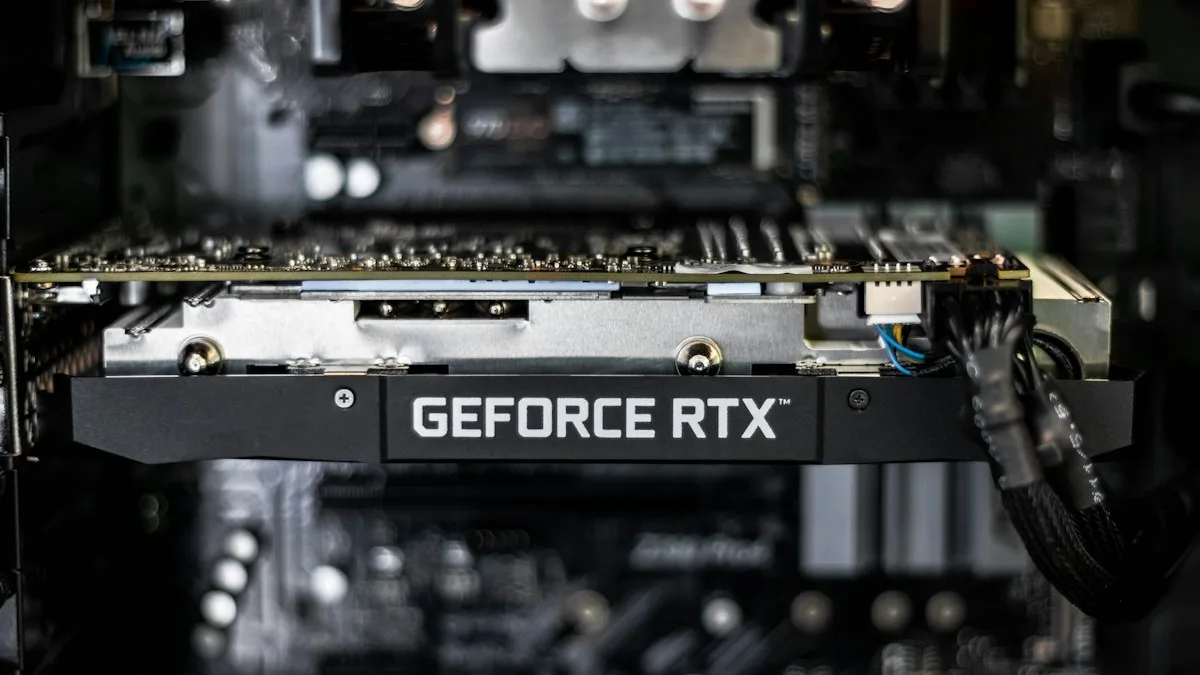
How much VRAM do you need? Consider model parameters, the KV cache, temporary computation buffers, and memory reserved by the runtime. Longer context windows can increase KV cache consumption. Larger batches can increase it further. Multimodal models may need extra memory for image or audio components.
Model files measuring 5 GB may need noticeably more than 5 GB of working memory. CPU offloading can distribute some of the work to system RAM, though performance may change. The amount of available GPU memory alone rarely tells the complete story.
How do you estimate RAM and VRAM in practice? Begin with the actual model file size and the application's memory guidance. Add headroom for context and runtime buffers, then test the model at your intended context length. Watch peak GPU and system memory use during real prompts. Hardware behavior and runtime configuration offer a more useful answer than a filename alone.
Choosing a Model File for Your Computer
SafeTensors works well when your software expects tensor checkpoints and model configuration files. GGUF is convenient when your local application uses llama.cpp or a compatible loader. ONNX and TensorRT target different deployment needs. MLX and Core ML are part of Apple's device-oriented tooling.
Quantization then determines how compactly much of the model's numerical information is stored. The best option comes from balancing the model's capability, software compatibility, available RAM, GPU memory, and acceptable output quality.
Start with the application you intend to run. Choose a compatible model format. Select a quantization level that fits comfortably. Test the output on the tasks you actually care about.
Good model selection begins with a simple idea: the download extension tells you how the model is packaged, the quantization label tells you how its numbers are stored, and the runtime determines how those numbers are used.
 Make your brand matter.